




Two solutions to the big and small knife problem
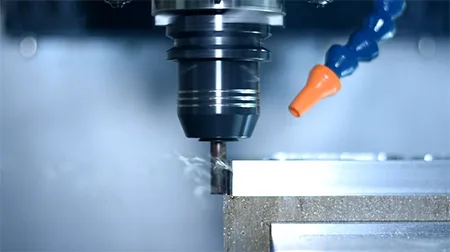
Big knife problem
With the complexity of processing workpieces and processing techniques, we often use tools that are inconsistent with the radius of the cutterhead during the processing process. They may be large or small, and some may even exceed the tool position, causing damage between the tools. interference, resulting in the "big and small knife" problem. The following will introduce to you how to set up the tool magazine function for large and small knives under the two systems.
Mitsubishi system
step 1
①Add the large knife function, #6415 sets the number of large knife knives;
②#0 sets 1 to be a big knife, and the knife number is 23;
③#0#1 Let 1 be 2 large knives, and the knife numbers are 21 and 23;
④#0#1#2 Let 1 be 3 big knives, and the knife numbers are 19, 21, and 23
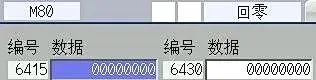
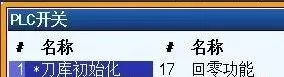
Step 2: After parameter setting is completed, initialize the tool magazine and turn on the PLC switch.
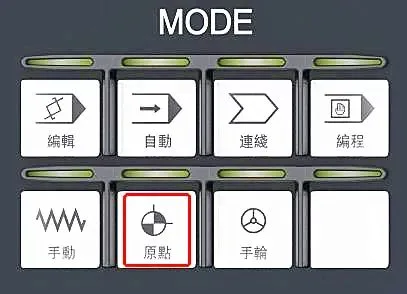
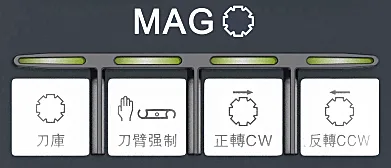
Step 3: Select the origin mode and press Tool Magazine Forward Rotation or Tool Magazine Reverse Rotation
Step 4: After initialization, you can use the machete function
FANUC System
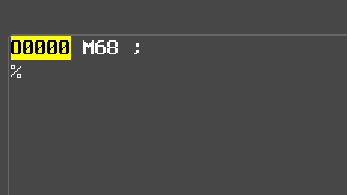
Step 1: Initialize the tool magazine and execute the M68 command
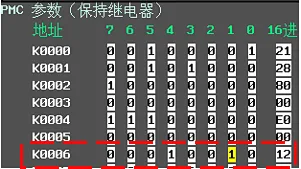
Step 2: Open K6.1 Setting 1 and turn on the broadsword function. Set the knife number K20.0-K22.7 (T1-T24). Adjacent knives cannot be set as big knife.
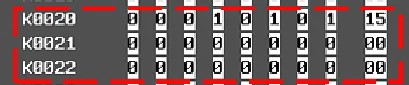
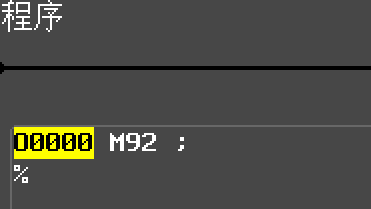
Step 3: Initialize the M92 machete and execute the M92 command
Tool changing process
After setting the large and small tool magazine function, please be aware of the following tool changing process. This process is automatically recognized by the machine tool:
1. Spindle knife change tool magazine knife
①Change the spindle broad knife to the broad knife sleeve first
②Tool change
2. Main spindle knife change tool magazine knife
①Change the spindle broad knife to the broad knife sleeve first
②Tool change
3. Spindle knife change tool library big knife: direct tool change
4. Spindle knife change magazine knife: direct tool change